MediMate Medicine Reminder App
A Flutter CRUD mobile app for managing medicine lists, dosage details, images, and daily local-notification reminders.
Visual Exhibit
System Blueprint & Verification.
Algorithmic mechanism and measured empirical evidence from the shipped system.
Local reminder scheduling and Material 3 CRUD on Flutter
Engineering Takeaways
Key Pillars & Findings.
Medicine CRUD flow
Local notification reminder storage
Flutter analyze, test, and debug build passed
Technical Specification & Methodology Notes Expand paper spec
Context
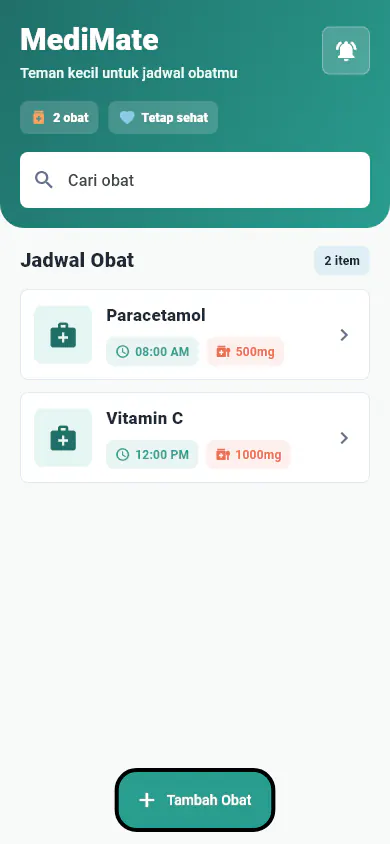
MediMate is a simple Android-focused Flutter app for users who want to record medicine names, dosage, medicine images, and daily reminder schedules in one place.
Problem
The project needed to demonstrate a complete mobile CRUD flow while staying practical: users should be able to add medicine, search the list, edit entries, view details, delete records, and manage reminder notifications without a complex backend.
My Role
I worked on Flutter implementation, UI redesign, form validation, local state handling, reminder scheduling, Android notification permissions, and portfolio screenshot verification.
Evidence
Approach
- Built the app with Flutter and Dart using a Material 3 visual language.
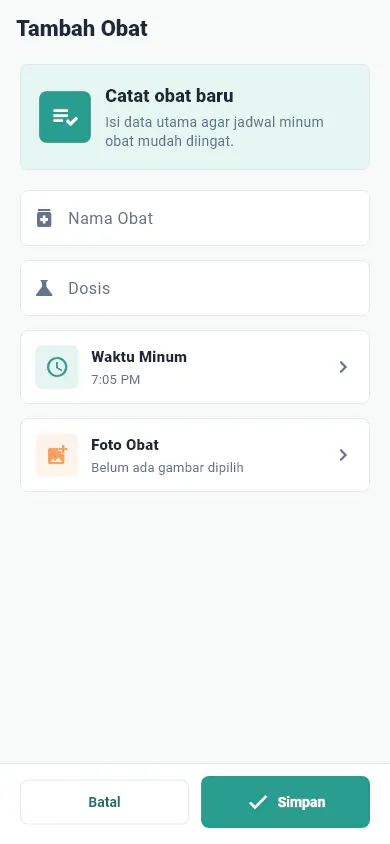
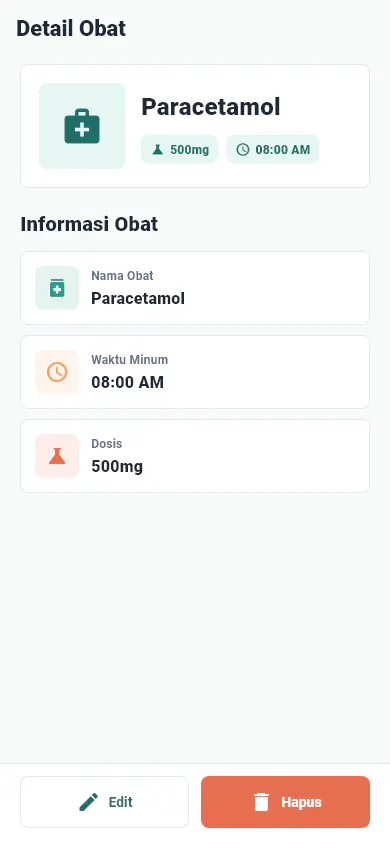
- Implemented medicine list, search, create, edit, delete, and detail flows.
- Added image selection through
image_picker. - Added daily reminder scheduling with
flutter_local_notificationsand timezone handling. - Stored reminder data locally as JSON so notification state could be restored.
- Requested Android notification-related permissions through
permission_handler. - Refined layout, button contrast, and form behavior so the UI fit mobile viewports cleanly.
Key Decisions
The project stayed intentionally lightweight. Medicine data was handled locally in app state, while reminder schedules were persisted as JSON. That kept the scope focused on mobile UI, navigation, validation, and native plugin integration rather than backend infrastructure.
Result
The final app produced a working debug APK and passed the verification flow documented in the project notes: flutter analyze, screenshot test generation, and Android debug build.
What I’d Improve
I would persist medicine data with SQLite, Hive, or SharedPreferences, add interaction tests for add/edit/delete/reminder flows, prepare production signing for release builds, and add a custom app icon plus dark mode.