KPC Operational Supervisor Appointment Automation
A Microsoft Power Automate workflow digitizing Contract Mining Division operational supervisor appointment requests from external intake to B-Simpel document distribution.
Visual Exhibit
System Blueprint & Verification.
Algorithmic mechanism and measured empirical evidence from the shipped system.
Automated vendor request to signed appointment letter
Engineering Takeaways
Key Pillars & Findings.
External-friendly Forms and OneDrive intake
Power Automate intake and approval flows
SharePoint List request database and status tracking
Power Automate routing to B-Simpel
Technical Specification & Methodology Notes Expand paper spec
Context
This internship project focused on the Contract Mining Division process for appointing Pengawas Operasional (PO), or operational supervisors. The process involved internal KPC personnel and external contractors, with document collection, HSE verification, approval, and official appointment letter distribution.
Problem
Before the project, the PO appointment process was handled manually by Safety CMD. Requests relied on physical documents and direct coordination, with no centralized digital record, no automated notification, limited status transparency, and no structured audit trail. External contractors also could not rely on tenant-only Microsoft upload features.
My Role
I designed and implemented the workflow automation, translated the manual process into a Microsoft 365 flow, configured request intake, structured the SharePoint List data model, built Power Automate routing logic, and supported user testing with CMD and IT stakeholders.
Evidence
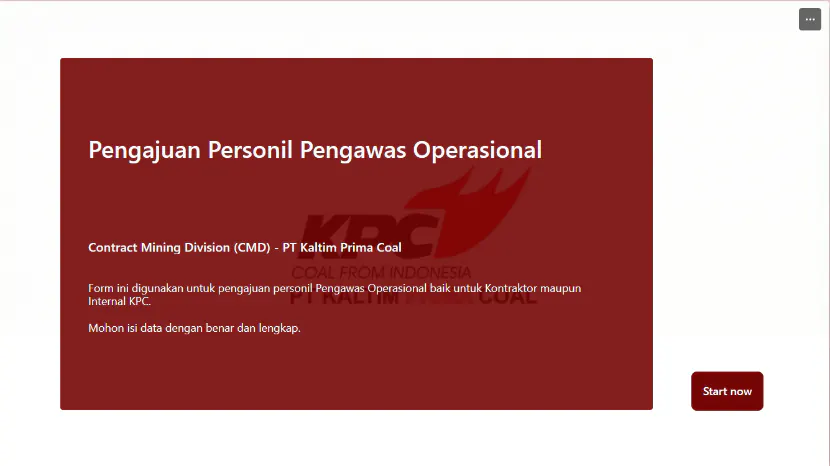
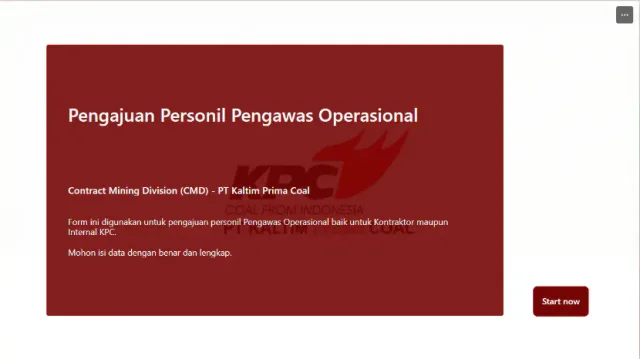
Microsoft Forms became the request entry point for internal personnel and external contractors.
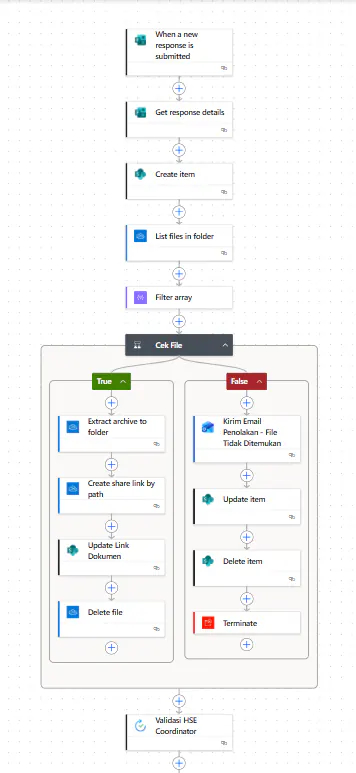
Power Automate orchestrated form response intake, SharePoint item creation, folder lookup, document matching, ZIP extraction, share-link creation, and invalid-submission handling.
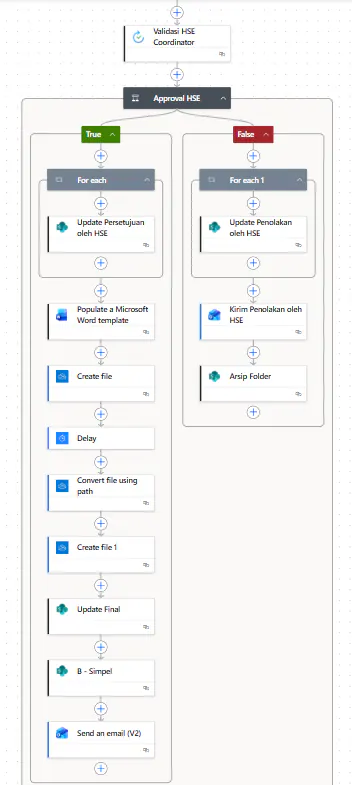
The approval branch handled HSE decisions, generated Word/PDF appointment documents, updated final status, routed approved folders to B-Simpel, and sent confirmation email.
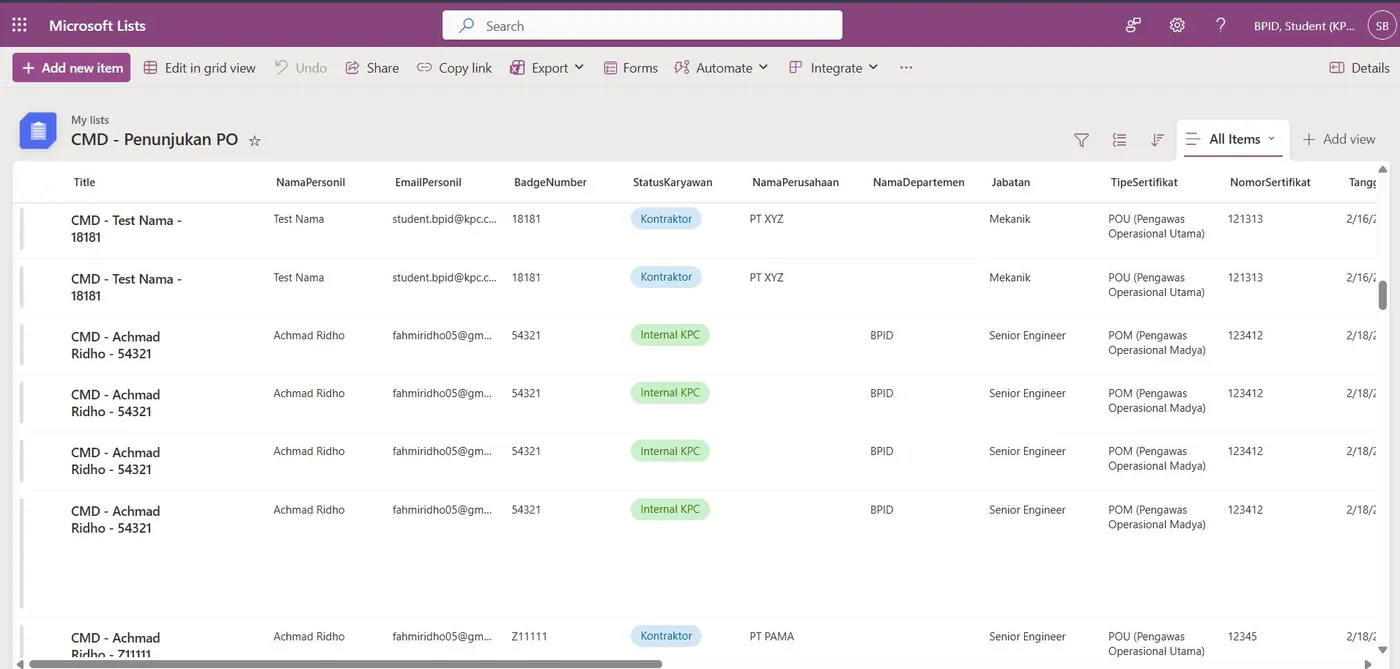
SharePoint List stored request records, status fields, document links, and generated identifiers.
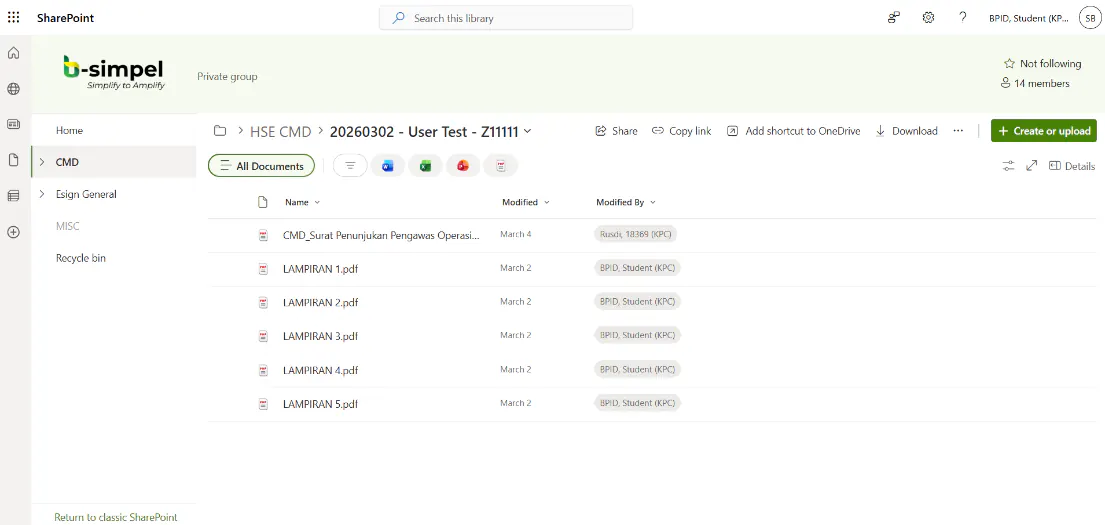
Approved document folders were routed into B-Simpel with the appointment letter and required attachments.
Validation
The workflow was tested with Safety CMD, refined after stakeholder feedback, and validated again with IT KPC for B-Simpel document distribution.
Source Evidence
- Presentation deck: slides 5-8 document the Power Automate project scope, architecture, implementation flow, and B-Simpel result.
- Internship report: sections 5.1.1-5.1.4 document the Microsoft Forms intake, OneDrive Request Files upload model, SharePoint List database, Power Automate flow logic, HSE approval branch, and B-Simpel distribution.
- User testing record: three test rounds were documented, ending with CMD sign-off and IT KPC validation for B-Simpel integration.
Approach
- Used Microsoft Forms as the request form because it could support external contractor access better than tenant-only app flows.
- Added OneDrive Request Files as a separate upload channel for supporting documents.
- Designed a SharePoint List schema for applicant identity, employment status, certificate data, approval status, and document links.
- Built the first Power Automate flow for form response intake, request item creation, document matching, ZIP extraction, share-link generation, and invalid-submission handling.
- Built the second Power Automate flow for HSE validation, Adaptive Card notification, SharePoint status update, Word template population, PDF generation, folder movement, and confirmation email.
- Routed approved document folders to B-Simpel, KPC’s SharePoint-based internal e-signature portal.
- Iterated the flow through three user tests with Safety CMD, CMD sign-off, and IT validation.
Key Decisions
The project used Microsoft Forms and OneDrive Request Files because the intake needed to work for both internal employees and contractors. SharePoint List became the operational request database, while Power Automate handled workflow orchestration and B-Simpel routing.
The workflow also included explicit false-case handling. If documents were missing, the system sent rejection email, updated status, removed the incomplete SharePoint item, and terminated the flow before HSE validation.
Result
The project digitized the PO appointment flow from form submission to document distribution. It introduced digital intake, structured status tracking, automated document verification, HSE validation notifications, generated appointment documents, and B-Simpel routing.
The workflow was validated through three user tests: initial Safety CMD feedback, CMD sign-off after improvements, and IT KPC validation for B-Simpel integration.
What I’d Improve
I would explore direct API integration with B-Simpel if licensing and access become available, so PDF merging and e-signature preparation can be automated further without manual HSE intervention.